Browserling provides real cloud browsers for testing websites across every browser, OS version, and screen size. Sessions spin up in seconds, require no installation, and close cleanly — no residual state between runs. Whether you're a solo developer checking a layout or an agency running full regression suites, Browserling gives you the environment you need without the infrastructure overhead.
Open any URL in a real browser. Resize the viewport. Check fonts, layouts, and JavaScript behavior across different engines. End the session and move on — no teardown, no cleanup, no stale browser profiles to manage.
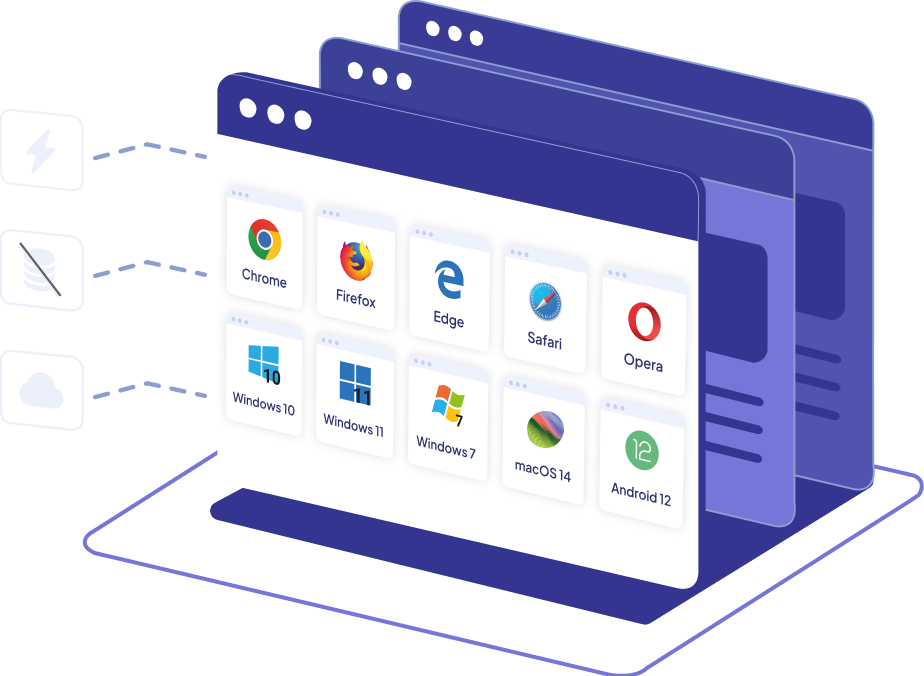
Chrome, Firefox, Safari, Edge, Opera — on real engines, not emulators.
Windows 10/11, macOS, Linux, Android, iOS — real environments, one click away.
No cookies, no cache, no extensions. Every test starts from a known state.
Browser ready in seconds. No downloads, no setup, no waiting for VMs to boot.
Simulate users in specific countries and regions to test geo-targeted content and redirects.
Test on real mobile viewports and devices without physical hardware, including iPhones and iPads.
Inspect elements, debug JS, monitor network requests, and analyze performance.
Share sessions, manage access, and coordinate testing across your QA team.
Run cross-browser regression checks without maintaining a lab of physical machines. Test on the exact browser version a bug was reported in. Reproduce issues in a clean environment every time.
Verify CSS layouts, JavaScript behavior, and responsive breakpoints across engines you don't have installed locally. Catch rendering bugs before they reach code review.
Test APIs, authentication flows, redirects, cookies, sessions, and server-side behavior across real browser environments. Reproduce issues that only appear with specific browsers, operating systems, network conditions, or client-side integrations.
Check websites and internal applications from a clean remote browser environment. Verify connectivity, troubleshoot access issues, test firewall and proxy rules, and confirm whether a site is reachable outside your local network.
Reproduce browser problems reported by employees and customers without rebuilding their exact setup locally. Check whether an issue depends on a specific browser version, operating system, cookie state, or clean session.
Check layouts, typography, spacing, responsive behavior, and visual consistency across browsers and operating systems. Catch design problems caused by rendering differences before publishing.
Quickly verify that features look and work correctly across browsers before sign-off. No technical setup required — just open a browser and check.
Test client websites across the browsers they actually use. Deliver cross-browser reports with screenshots. Bill less time on environment setup and more time on actual testing.
Browserling is also used by DevOps engineers, technical support teams, customer support teams, mobile developers, accessibility specialists, e-commerce teams, digital marketers, educators, students, researchers, software consultants, startup teams, and many others.
Founded in 2010 in Silicon Valley, Browserling started as a platform for running real browsers remotely. Security teams adopted it for safe investigation, and that use case became core to the product.
Browserling is trusted by customers in 100+ countries around the world, from individual developers and growing teams to global brands, government agencies, universities, media organizations, and Fortune 100 companies.
Open a real browser, test your site, and close the session. No setup, no teardown.